
CLI
Terminal
Interactive sandwalk REPL with slash commands, status bar, and shared sessions.
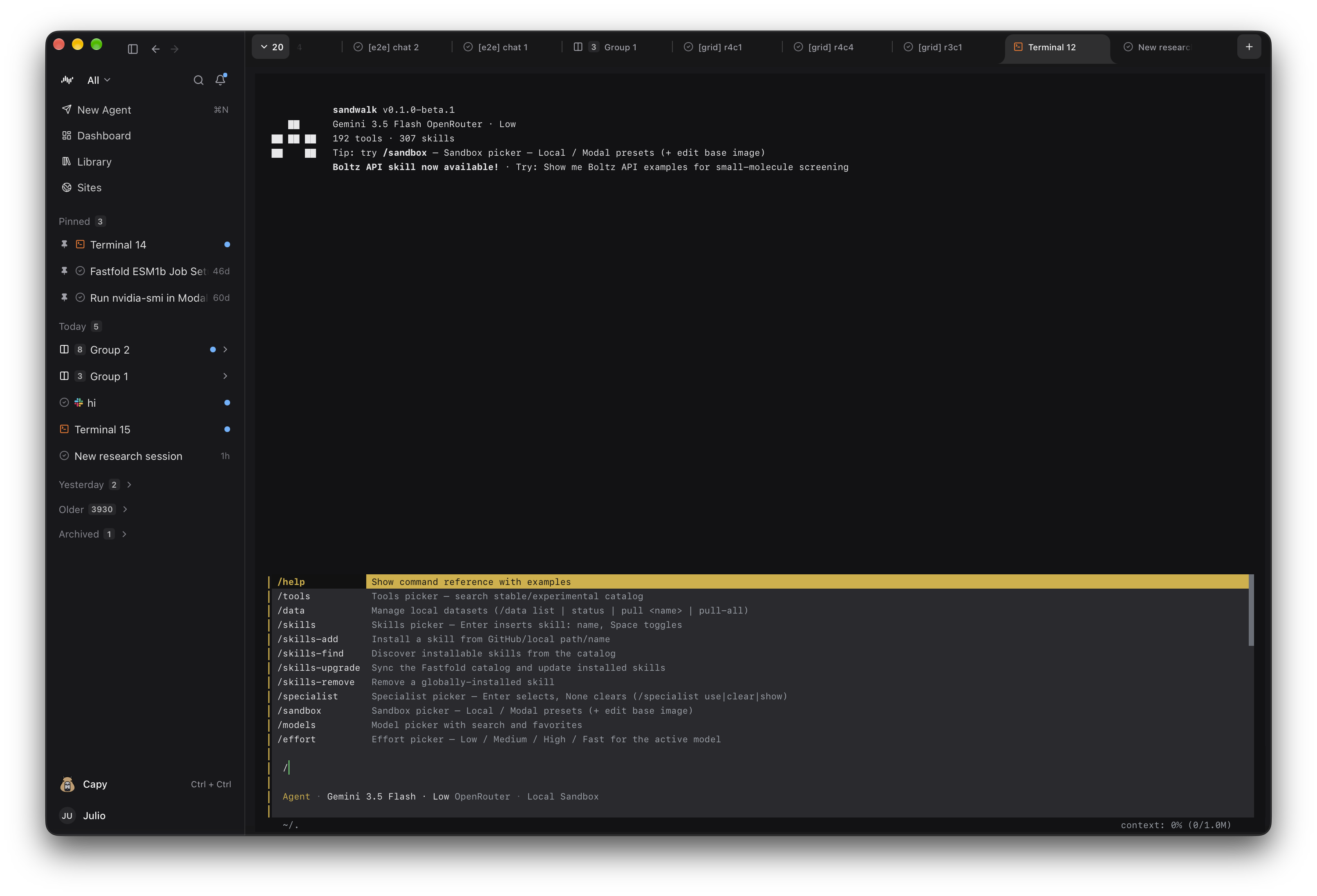
sandwalkRun sandwalk in any terminal (or press ⌘⇧T inside the desktop app) to chat, run tools, switch Specialists, and execute code in Local or Modal GPU sandboxes. Sessions and Memory are shared live with the Desktop and Web UI via ~/.sandwalk/agent-server.db.
Status Bar
| Segment | Meaning |
|---|---|
| Model | Active model ID (cyan) |
| Specialist | Active Specialist / persona, if any |
| Sandbox | Local Sandbox or Modal Sandbox |
| Path | Current working directory (muted gray) |
| Plan mode | Shown when Plan mode is active |
| Context | context: N% (used/limit) when window size is known |
Compose Shortcuts
| Shortcut | Action |
|---|---|
Enter | Submit message |
Ctrl+J / Alt+Enter | Insert newline |
Cmd+V / Ctrl+V | Paste clipboard image or file path → [Image N] chip |
Ctrl+E | Expand/collapse tool execution output inline |
Ctrl+C | Interrupt active generation (Ctrl+C × 2 at idle to exit) |
See the full list of slash commands in Command reference.
Last updated on