
App
Desktop App (macOS & Ubuntu)
Native Tauri desktop shell and local server supervisor for macOS and Linux.
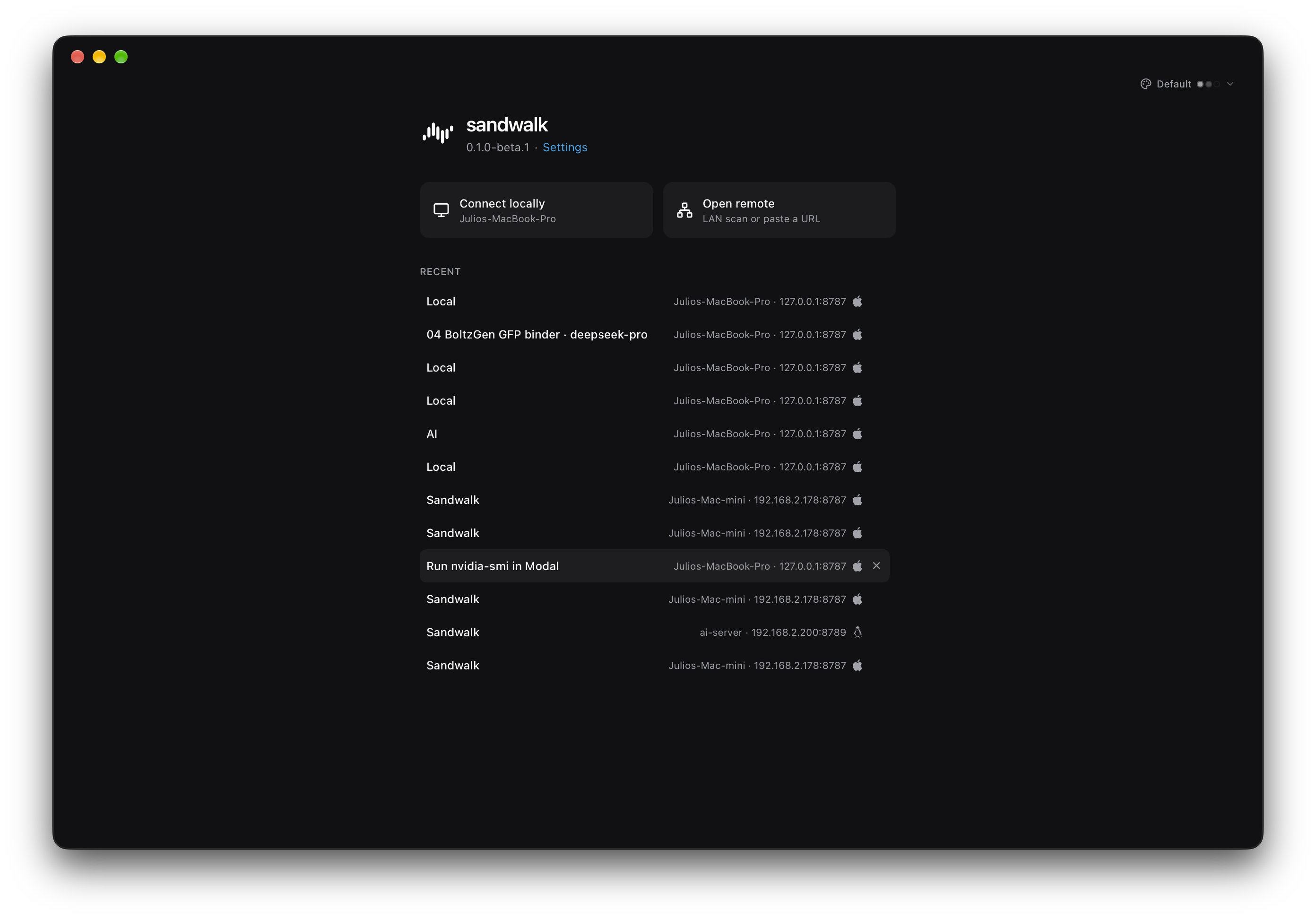
The Sandwalk desktop app runs on macOS (Apple Silicon, 12.0+) and Ubuntu Linux (24.04 / 26.04, amd64 & arm64).
Local & Remote Servers
On launch, the Welcome screen lets you:
- Connect Locally (
127.0.0.1:8787): Starts or attaches to the local Sandwalk server on this computer. - Connect via SSH (1-Click Auto-Install & Tunnel): Enter any
user@hostor pick a host from~/.ssh/config. Sandwalk automatically installs~/.local/bin/sandwalkin user space if missing, starts a persistent 24/7 background daemon, and opens a local SSH tunnel. See SSH & Remote Servers. - Open a Remote Server (Direct URL / LAN): Connect to a Sandwalk server running on your LAN or Tailscale IP (
sandwalk serve --host 0.0.0.0paired withsandwalk auth). Recent remote servers are remembered with their OS icon and hostname.
Installing & Updating
macOS
Download Sandwalk-macos-arm64.dmg, open the disk image, and drag Sandwalk to /Applications.
Or install via the CLI:
sandwalk desktopUbuntu (24.04 / 26.04)
Install via the signed APT repository:
curl -fsSL https://apt.sandwalk.sh/sandwalk.gpg | sudo gpg --dearmor -o /usr/share/keyrings/sandwalk.gpg
echo "deb [arch=amd64,arm64 signed-by=/usr/share/keyrings/sandwalk.gpg] https://apt.sandwalk.sh stable main" | sudo tee /etc/apt/sources.list.d/sandwalk.list
sudo apt update
sudo apt install sandwalk
Or run sandwalk desktop from the CLI to download and install the matching .deb package for amd64 or arm64.
Last updated on