
Terminal & Coding Agents
Multi-tab terminal, interactive CLI, and first-class support for Claude Code, Codex, OpenCode, fx, and Hermes.
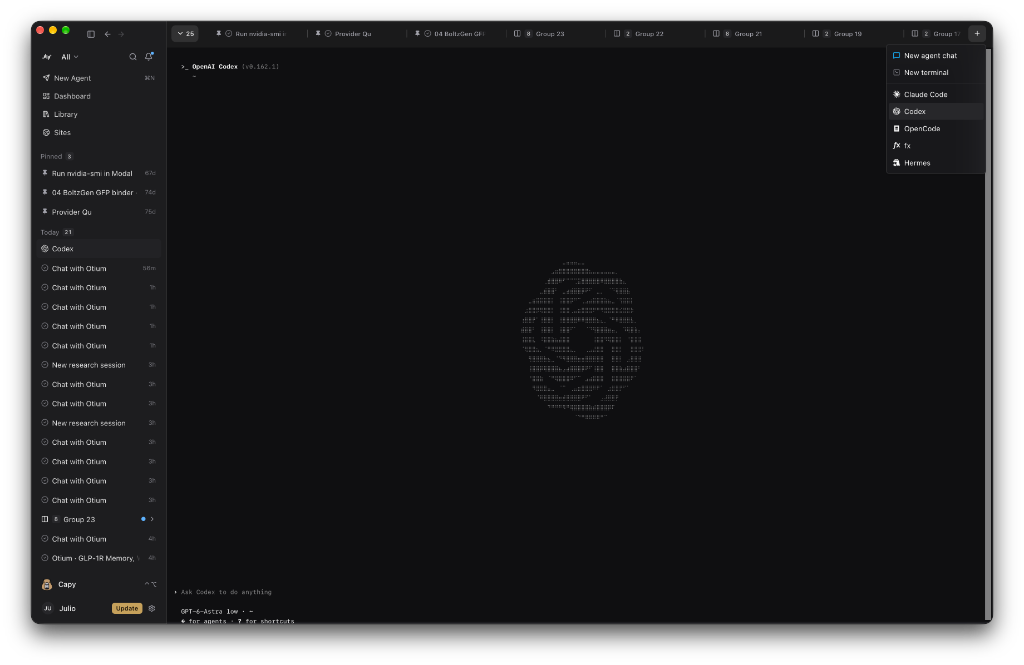
Click the + button in the top-right tab bar (or press ⌘⇧T) to open a new Agent Chat, a New Terminal, or launch Sandwalk CLI, Claude Code, Codex, OpenCode, fx, or Hermes directly inside a Sandwalk terminal tab.
Running Coding Agents Inside Sandwalk
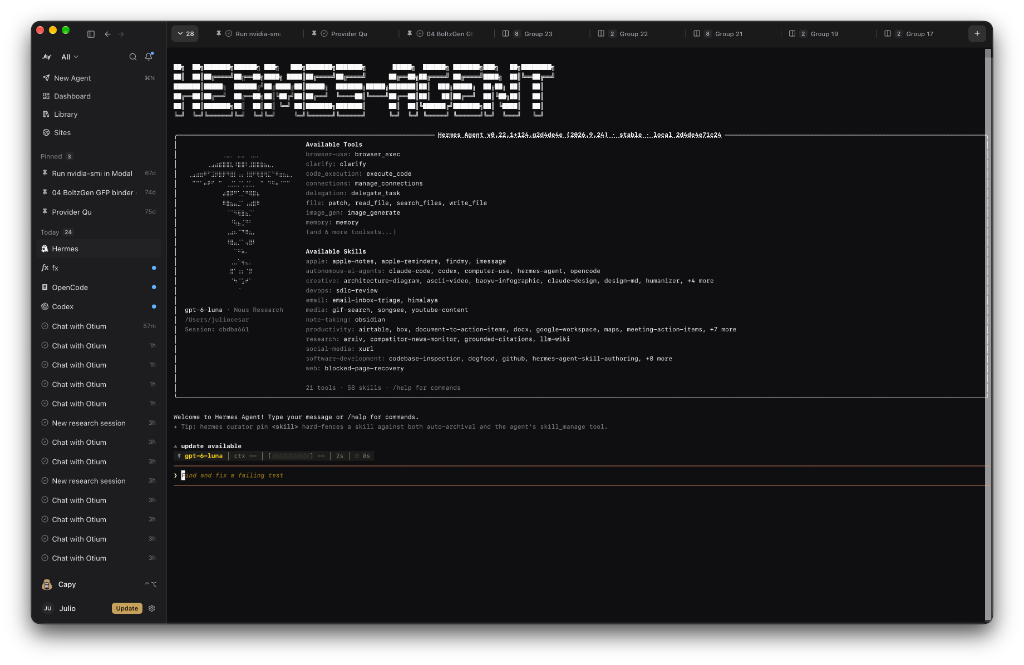
Sandwalk treats external coding and research CLIs (Claude Code, Codex, OpenCode, fx, and Hermes) as first-class workspace citizens:
- One-Click Launch from the
+Menu: Pick any installed agent from the top-right+menu to spawn it in a dedicated terminal session. - Live Sidebar & Tab Badges: Active terminal sessions appear in your left sidebar under Today with the running agent's native icon (Hermes, fx, OpenCode, Codex, Claude Code) and live status dot.
- Convert to Chat (Import): Right-click any terminal or sidebar item running one of these agents and choose Convert to chat (or ask Capy). Sandwalk imports the transcript as a native Sandwalk chat—and you can distill its findings into
MEMORY.md, your Living Wiki, and Omnigraph. - Continue in… (Native
sandwalk --resume& Cross-Agent Handoff): From any Sandwalk chat, right-click the tab → Continue in…:- Choose Sandwalk CLI (
resume) to open a terminal tab and runsandwalk --resume <sessionId>against the shared session store with zero loss. - Or choose Claude Code, Codex, OpenCode, fx, or Hermes to write
.sandwalk/handoff-<id>.mdin the workspace and open the target CLI (or resume with synthesized native history viaclaude --resume/codex resume).
- Choose Sandwalk CLI (
Interactive sandwalk CLI in the Terminal
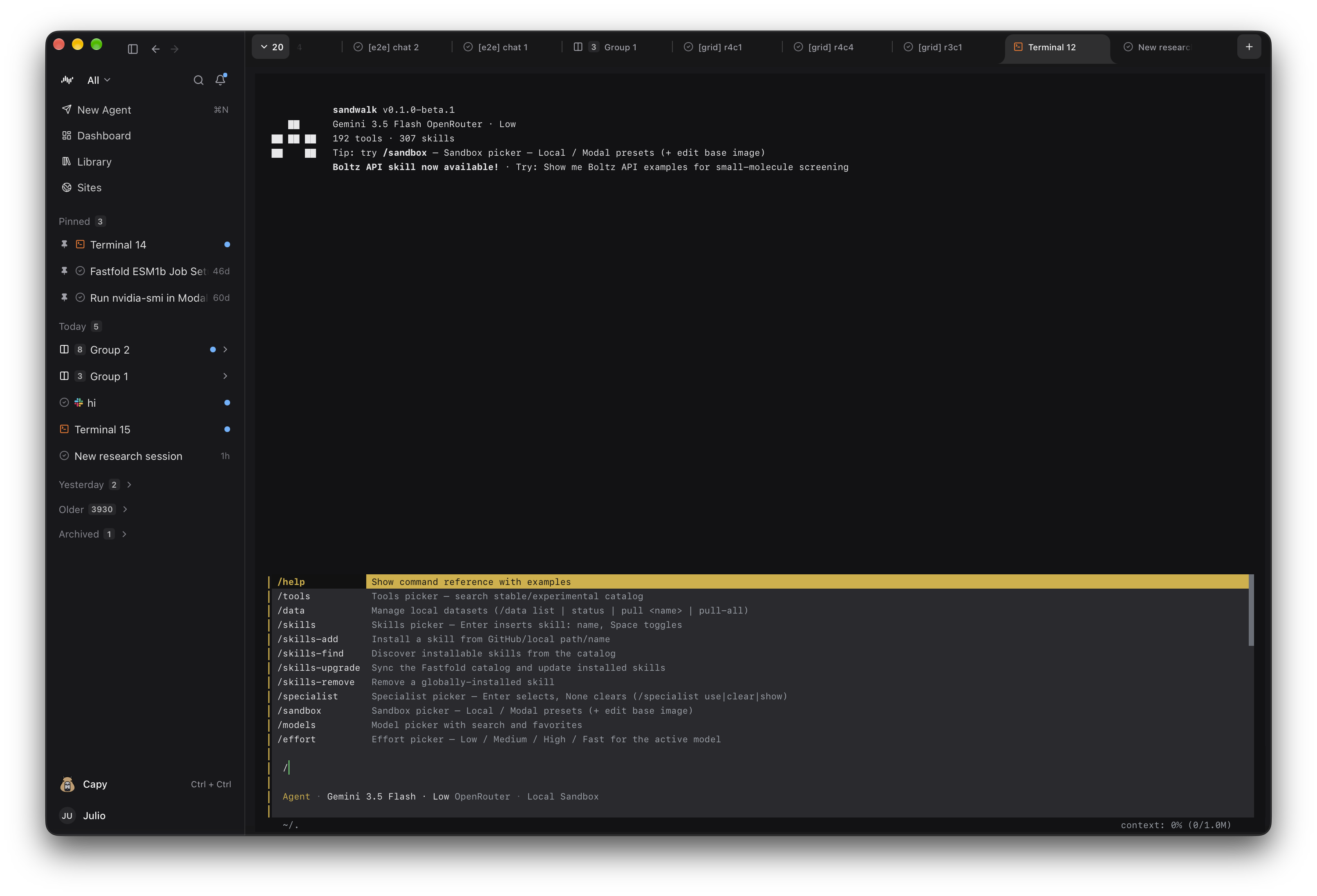
Run sandwalk in any terminal tab (or in your external terminal) to access the exact same sessions, Specialists, Memory, and workspace files as the desktop app. Type / to open the slash-command menu (/models, /specialist, /sandbox, /plan, /skills, /mcps, /doctor, /export, /notebook). See CLI Terminal.
Last updated on