
Dashboard & Settings
Sandbox (Local & Modal GPU)
Configure Local Python execution or on-demand Modal Cloud CPU and GPU containers.
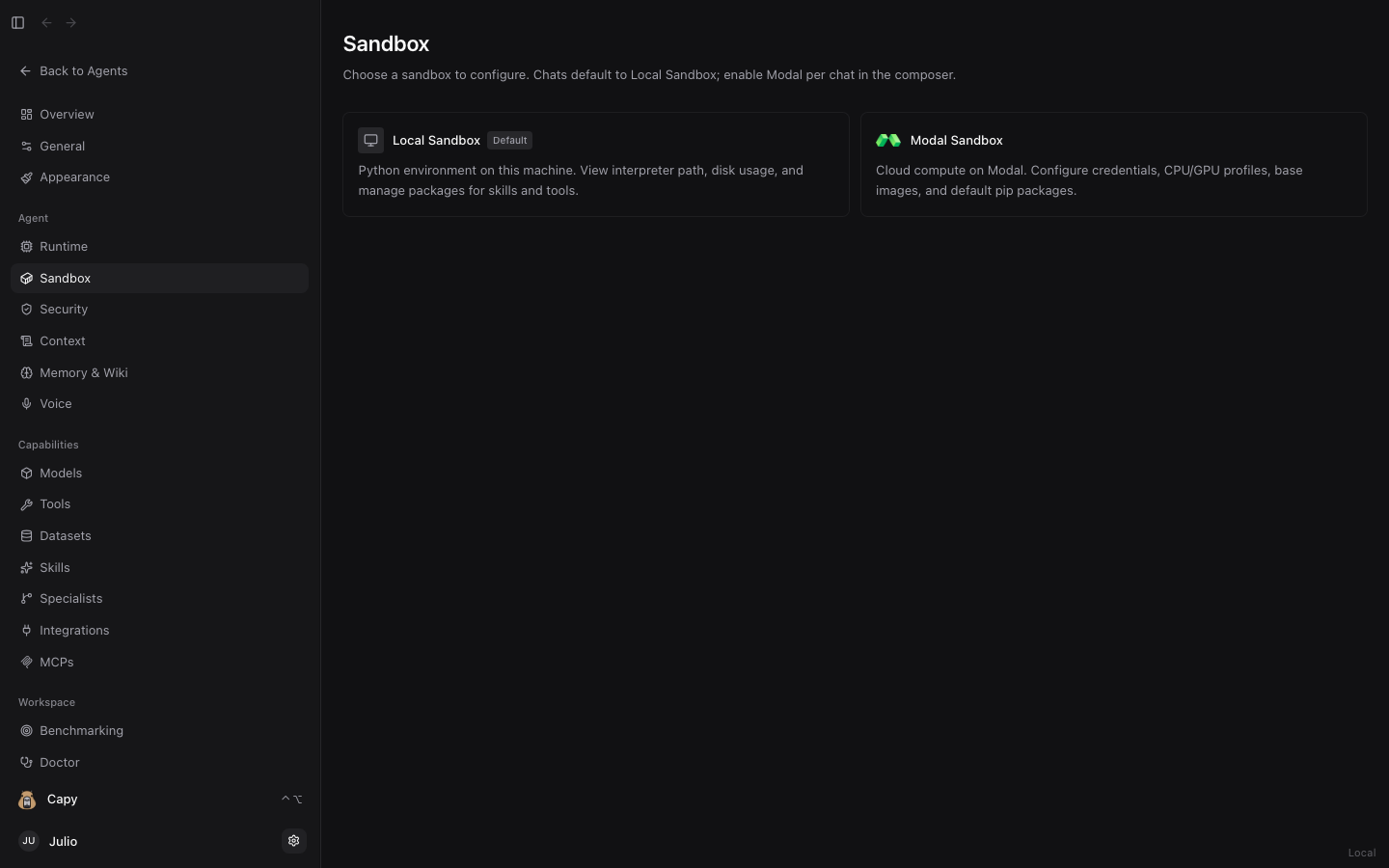
Dashboard → Sandbox (/dashboard/agent/sandbox) configures where agents execute Python code, shell commands, and scientific workflows.
1. Local Sandbox (Default)
Runs directly on your machine (MacBook, Mac mini, Linux workstation, or HPC node) inside an isolated per-session workspace (~/.sandwalk/workspaces/<session>/).
- Zero spin-up latency and direct access to local datasets (
~/.sandwalk/data/) and project folders (project/). - Inspect and install Python packages for the local sandbox in Dashboard → Environment.
2. Modal Cloud Sandbox (CPU & GPU)
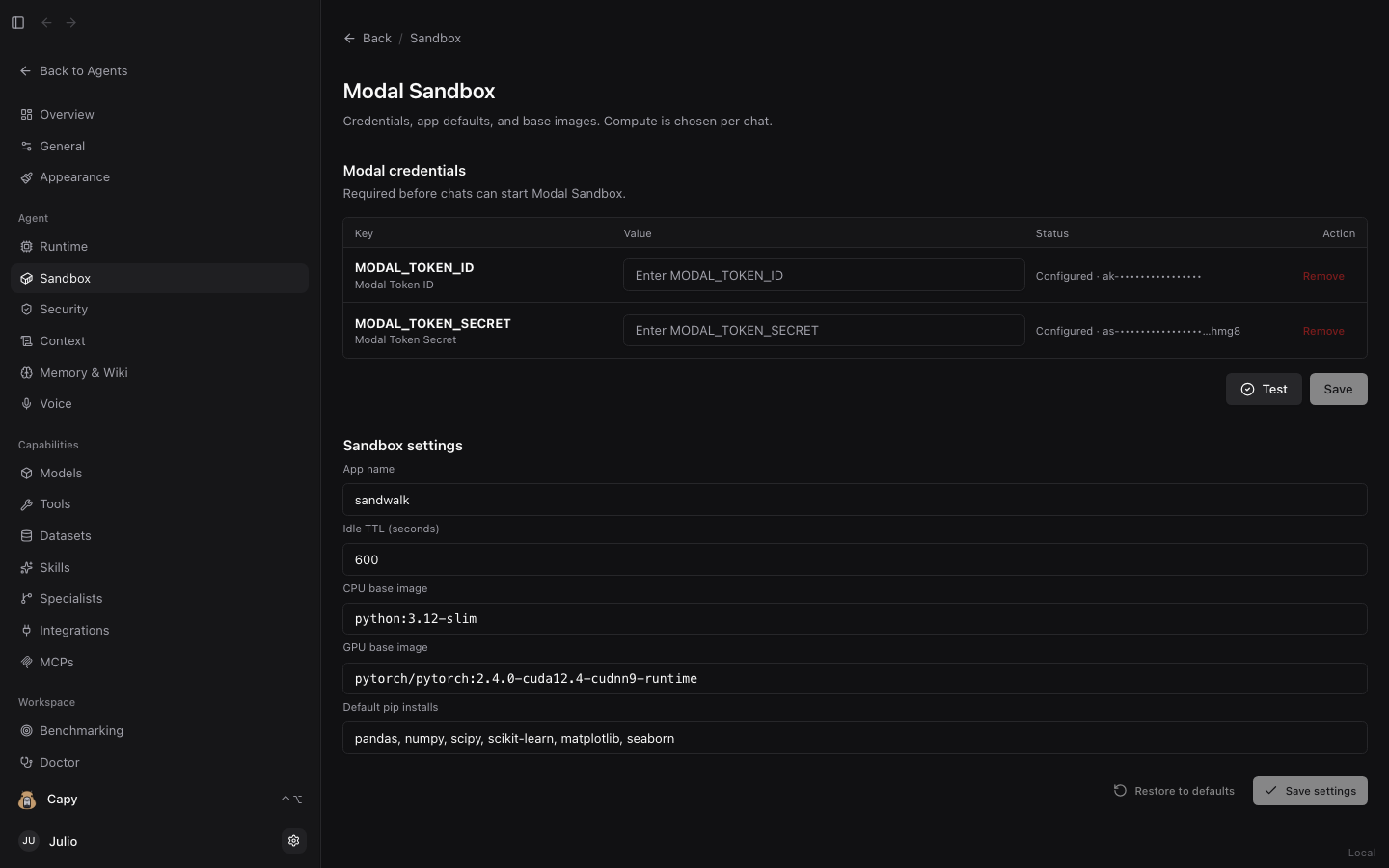
Click Modal Sandbox to configure on-demand cloud containers powered by Modal:
- Modal Credentials:
- Paste your
MODAL_TOKEN_IDandMODAL_TOKEN_SECRET(or runmodal setupin a terminal) and click Test to verify connectivity.
- Paste your
- Sandbox Settings:
- App name: Modal app namespace (defaults to
sandwalk). - Idle TTL (seconds): How long a warm container stays alive between turns (defaults to
600seconds). - CPU base image: Default Docker image for CPU runs (
python:3.12-slim). - GPU base image: Default CUDA Docker image for GPU runs (
pytorch/pytorch:2.4.0-cuda12.4-cudnn9-runtime). - Default pip installs: Comma-separated packages pre-installed into the container (
pandas, numpy, scipy, scikit-learn, matplotlib, seaborn).
- App name: Modal app namespace (defaults to
- Selecting Compute per Chat:
- In the Composer (or via
/sandboxin the CLI), switch any session between Local Sandbox, Modal CPU (2 CPU · 8 GB,4 CPU · 16 GB, etc.), and Modal GPU (T4,L4,A10,A100,H100). Every file, plot, or 3D structure generated on Modal is automatically synced back into your local session workspace.
- In the Composer (or via
Last updated on