
Dashboard & Settings
Overview, General & Appearance
Telemetry widgets, token & cache analytics, server controls, and theme customization.
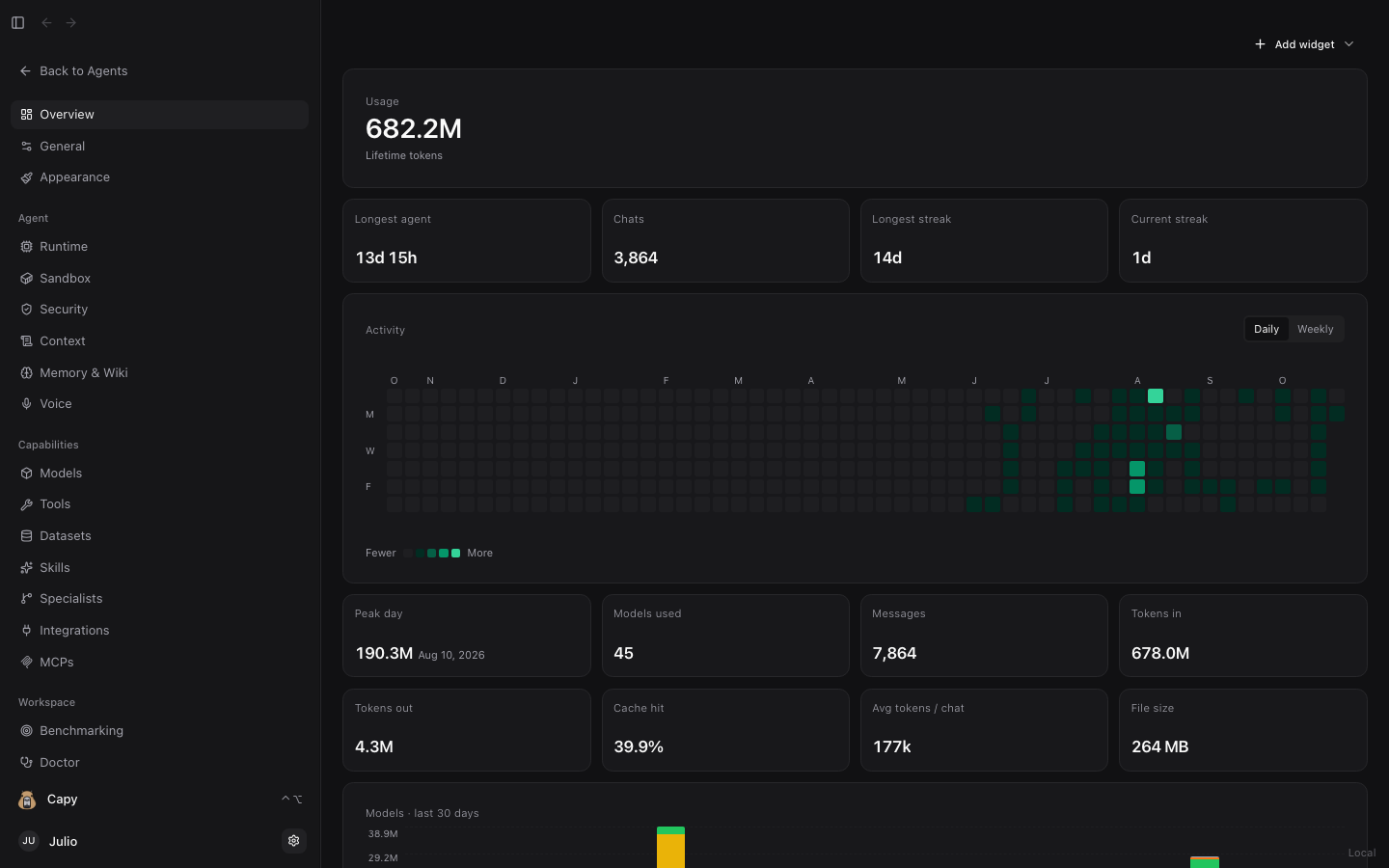
Open Dashboard from the left sidebar to inspect workspace telemetry, customize the interface, and configure every layer of the Sandwalk agent harness.
1. Overview (/dashboard)
The Overview board is a customizable widget canvas (+ Add widget):
- Lifetime & Daily Token Analytics: Tracks total tokens (
Tokens in,Tokens out), KV Cache hit percentage, average tokens per chat, and peak daily throughput. - Activity Heatmap: GitHub-style daily and weekly activity grid across all chat sessions, CLI runs, and benchmarks.
- Models — Last 30 Days: Stacked bar chart comparing token volume across every cloud and local model you have used.
- Streaks & Workspace Footprint: Tracks longest running agent session, total chats and messages, active streaks, and total workspace file size.
2. General (/dashboard/general)
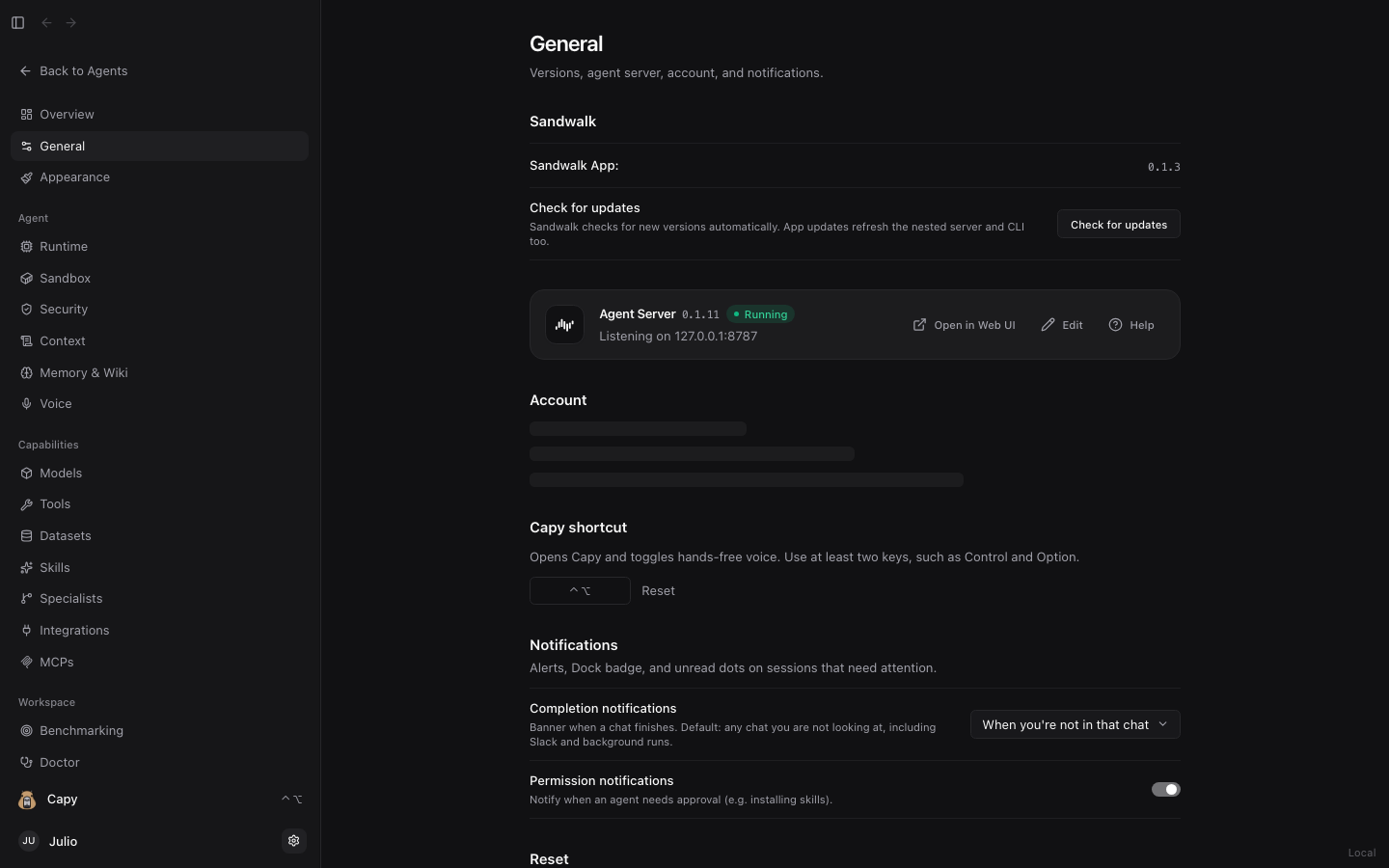
- Profile & Identity: Set your display name (used in the sidebar, Specialist ownership metadata, and locally authored skills).
- Server Connection & Updates: Inspect the connected Sandwalk server URL (
127.0.0.1:8787or remote LAN/Tailscale host), version, and one-click app update checks. - Reset & Recovery: Safely reset onboarding state or clear cached UI state without deleting your sessions or
~/.sandwalk/files.
3. Appearance (/dashboard/appearance)
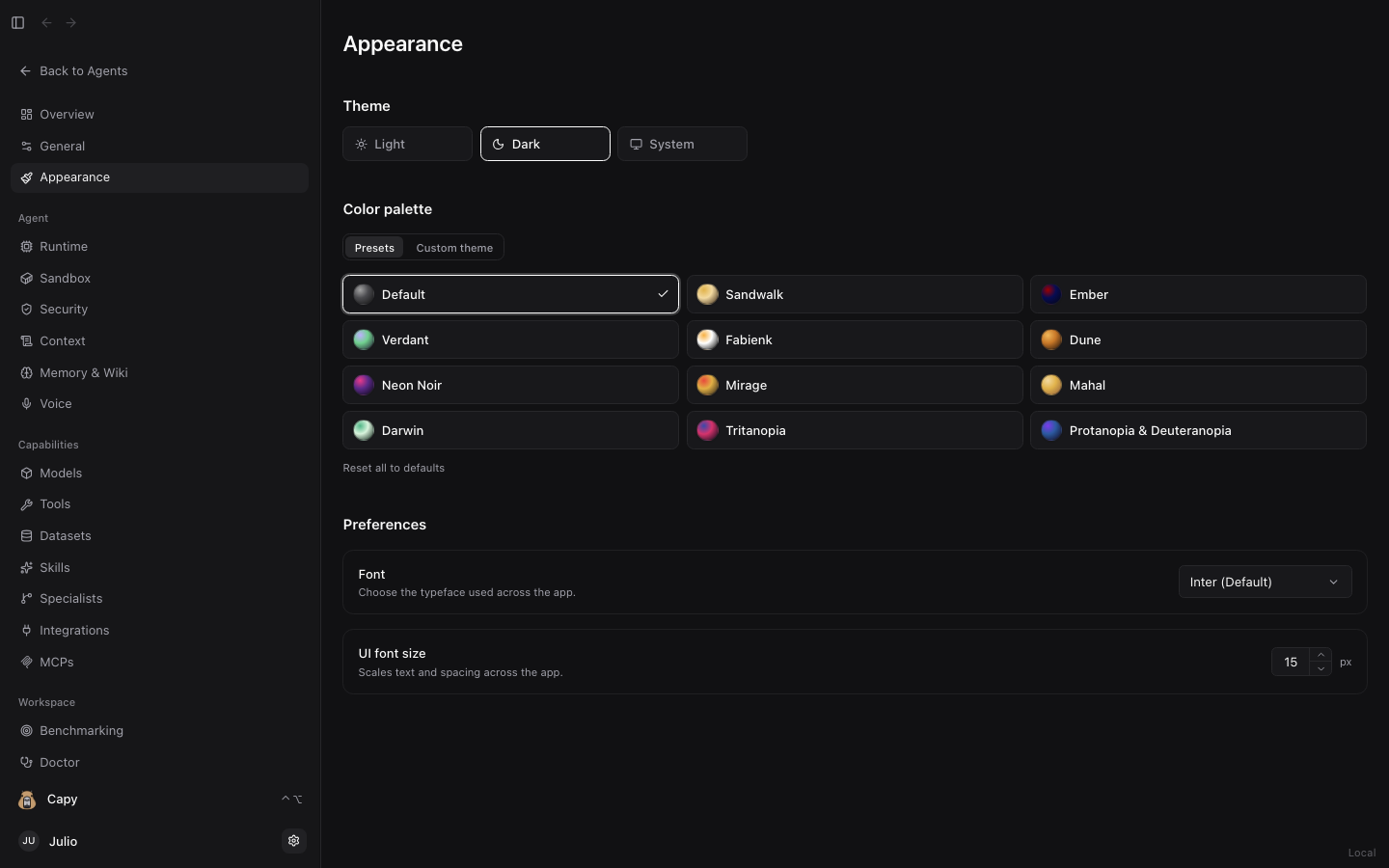
- Theme Mode & Color Palettes: Switch between Dark, Light, and System mode, or pick from curated dark/light surface palettes and custom accent colors.
- Liquid Glass Material & Tint: Toggle translucent glass surfaces and adjust material depth and tint strength on macOS and Linux.
- Typography & UI Scale: Choose the interface font family and scale UI text size (
Small,Default,Large).
Last updated on