
App
Library
Browse, filter, upload, and reuse files, structures, plots, and documents across all sessions and projects.
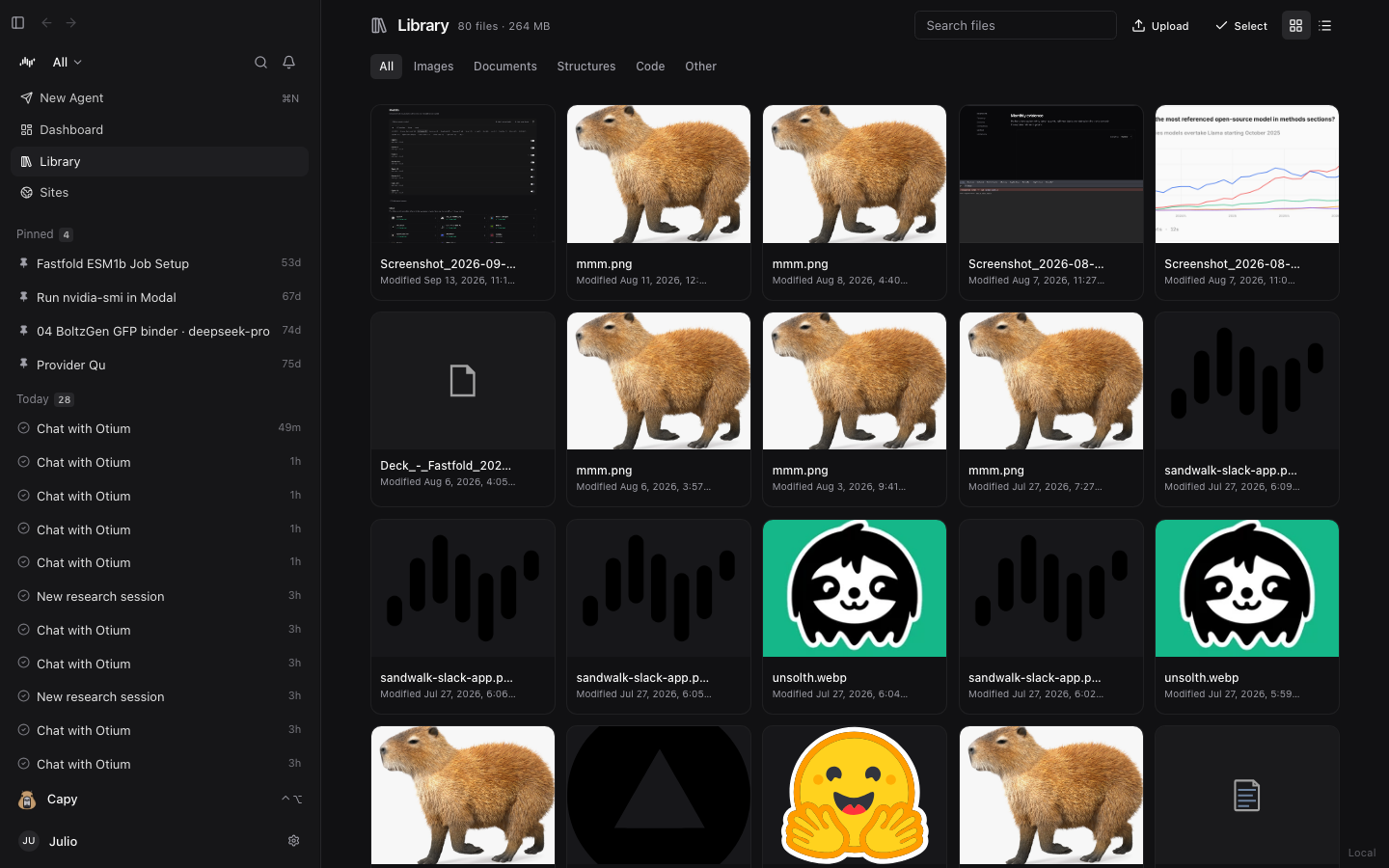
The Library (accessible from the main left sidebar below Dashboard) is a unified file hub across all of your sessions and projects. Every file you upload (uploads/), every plot, structure, report, or script an agent generates (outputs/), and every file in a linked Project folder (project/) is indexed here.
How to Use the Library
- Filter by Category: Use the filter pills at the top of the Library to narrow files by kind:
- All — Every indexed workspace and project artifact
- Images — Plots, figures, microscopy images, and screenshots (
.png,.jpg,.webp,.svg) - Documents — Reports, papers, slide decks, and tables (
.pdf,.md,.csv,.tsv,.docx,.pptx) - Structures — 3D molecular and protein files (
.pdb,.cif,.sdf,.mol2,.fasta) - Code — Scripts, notebooks, and data files (
.py,.ipynb,.sh,.json,.yaml) - Other — Archives and binary outputs
- Search & Switch View: Search by filename in the Search files box, or toggle between Grid view (with live image, plot, and 3D structure thumbnails) and List view.
- Upload Files: Click Upload in the top-right toolbar (or drag and drop files onto the Library) to add datasets, papers, or structures into your workspace.
- Use in Chat & Bulk Actions: Click any file card to preview it, or click Select to pick multiple files and attach them directly to a new or active chat session (
@-mentioned in the Composer).
Last updated on