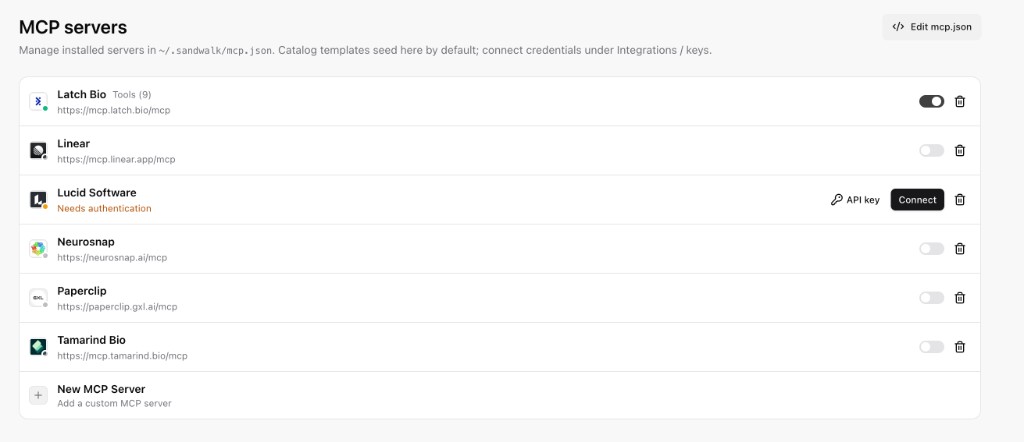
Featured MCP servers, local Omnigraph stdio MCP, and Cursor-style ~/.sandwalk/mcp.json definitions.
Dashboard → MCPs (/dashboard/mcp) manages Model Context Protocol (MCP) servers stored in ~/.sandwalk/mcp.json. Sandwalk uses the standard Cursor / Claude Desktop mcpServers JSON format, so you can paste any Cursor mcp.json configuration directly into Sandwalk (or copy Sandwalk's mcp.json into Cursor).
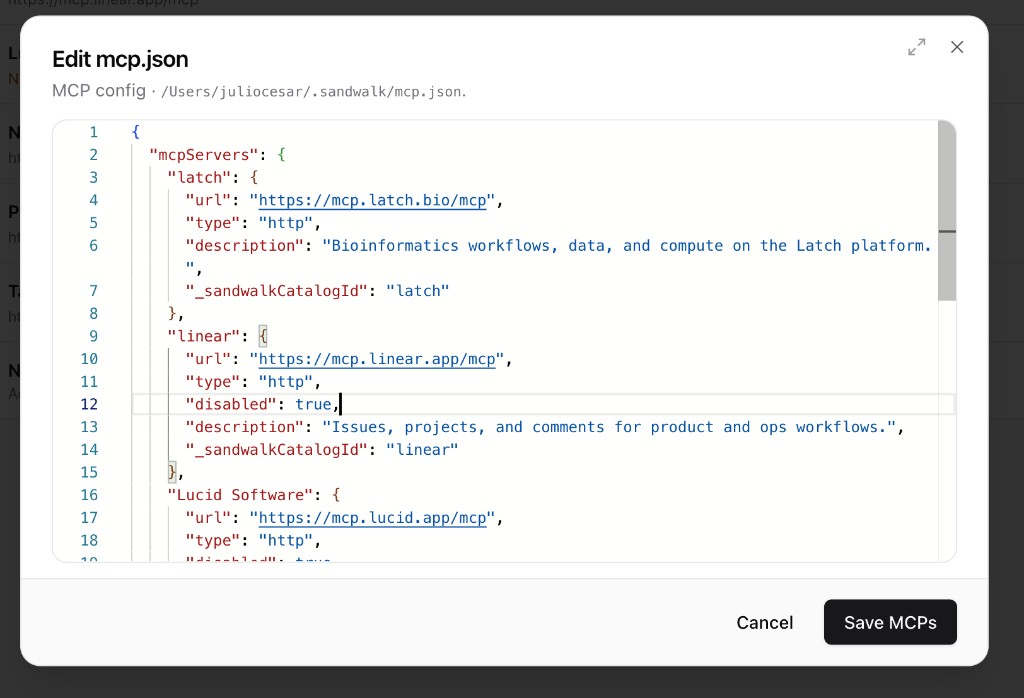
Click </> Edit mcp.json in the top-right corner of Dashboard → MCPs (or open ~/.sandwalk/mcp.json in any editor) to inspect or edit all configured servers in one JSON file:
Every key under "mcpServers" is the server's identifier ("omnigraph", "latch", "linear", or any custom name):
Field
Type
Required
Description
type
"stdio" | "http" | "sse"
Optional
Transport protocol. Inferred automatically as "stdio" when command is present, or "http" (Streamable HTTP) when url is present. Use "sse" for legacy Server-Sent Events endpoints.
command
string
For stdio
Executable name or absolute path (e.g., "npx", "uvx", "python3", or "/Users/you/.sandwalk/bin/sandwalk-omnigraph-mcp").
args
string[]
Optional
Command-line arguments passed to command (defaults to []).
Custom HTTP headers (such as Authorization: Bearer ...) for custom remote servers.
disabled
boolean
Optional
Set to true to keep the server in mcp.json while disabling it at runtime. ("enabled": true/false is also accepted when pasting.)
description
string
Optional
Human-readable summary shown on the server card in Dashboard → MCPs.
_sandwalkCatalogId
string
Optional
Links a catalog-seeded entry (omnigraph, latch, tamarind, neurosnap, paperclip, linear, etc.) to Sandwalk's built-in catalog metadata and Dashboard → Integrations credential store so OAuth tokens and API keys are never written in plaintext into mcp.json.
In the Composer: Click + → MCP to toggle which MCP servers are active for the current session, or attach specific MCP servers to a Specialist profile (Dashboard → Specialists).
From the CLI:
sandwalk mcp list
Or type /mcps inside interactive sandwalk to connect, enable, validate, add, or remove MCP servers.